Look, most people don’t really think about what’s inside their computer until something goes wrong. Or until they’re about to buy a new one and suddenly realize they have no idea what half the specs even mean. I’ve been there too, staring at a product page trying to figure out why one laptop costs twice as much as another when they look basically the same.
So let me just walk you through the main components what they actually do, and why they matter. No jargon, no unnecessary complexity.
What Is IT Hardware, Actually?
IT Hardware is the physical stuff. The parts you can pick up, hold in your hand, accidentally drop. Software — your apps, your operating system, your games — runs on top of it. But without the hardware doing the actual work underneath, software is just… nothing.
The main components you’ll hear about are the CPU, motherboard, RAM, storage, GPU, power supply and network hardware. Each one has a specific job. And when they all work together properly. The whole system feels fast and smooth. When even one of them is underpowered or mismatched, you feel it immediately.
CPU — The Brain of the Whole Operation
Every action you take on a computer eventually goes through the CPU. Open an app and click a button or load a webpage—the processor is calculating and executing instructions the entire time, constantly without stopping.
What makes one CPU better than another comes down to a few things. Clock speed is how fast it processes instructions per second higher is generally better but only when comparing chips of the same generation. Cores let it handle multiple tasks at the same time rather than doing everything one after another. Threads extend this further. And cache is tiny but extremely fast memory built right into the chip, so it doesn’t have to keep fetching the same data from RAM over and over.
| Specification | What It Does |
| Clock Speed | How many operations per second the CPU handles |
| Cores | More cores = better multitasking |
| Threads | Each core can handle multiple task streams |
| Cache Memory | Stores frequently used data right inside the chip |
For everyday tasks, an average modern processor is honestly more than enough. It only starts to really matter when you’re pushing the machine — gaming, video editing, running heavy software.
Motherboard — Nobody Talks About It, But It Matters
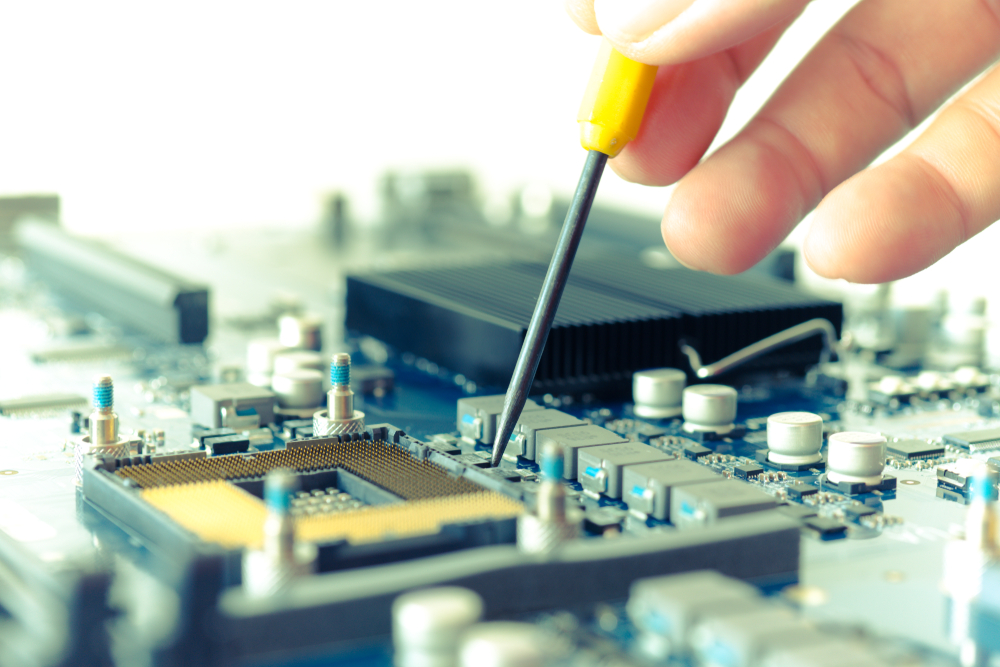
The motherboard is the main circuit board. Everything else plugs into it — the CPU, RAM, storage, GPU, power supply, everything. Without it, none of the other components can communicate with each other at all.
It sounds dull, and it is, in a sense. But a cheap or incompatible motherboard can quietly bottleneck an otherwise good system, and most people don’t realize it until they’re already frustrated.
RAM — Fast Memory That Forgets Everything
RAM is short-term memory. When you open a program, the data it needs gets pulled into RAM so the CPU can access it quickly. Close the program, and that data disappears from RAM completely — which is why your files don’t vanish when an app crashes, since those are stored on your drive instead.
More RAM means more things can run at once without the system slowing down.
| RAM Amount | Good For |
| 4GB | Very basic tasks only not really enough anymore |
| 8GB | Light browsing and documents but tight |
| 16GB | Gaming, multitasking, everyday work—solid starting point |
| 32GB+ | Video editing, virtual machines heavy professional work |
Honestly in 2026, I wouldn’t go below 16GB for anything. Even basic browsing with a few tabs open eats through 8GB faster than people expect.
Storage — Where Everything Actually Lives
Unlike RAM, storage is permanent. Your photos, documents, operating system — all of it sits on your storage drive and stays there when you turn the machine off.
Two main types. HDD uses spinning magnetic disks—cheap and spacious but slow and fragile. SSD uses flash memory with no moving parts—faster, quieter, more reliable but costs more per gigabyte.
| Feature | HDD | SSD |
| Speed | Slow | Much faster |
| Durability | Moving parts, more risk | No moving parts, reliable |
| Noise | Audible clicking | Completely silent |
| Power Usage | Higher | Lower |
| Price | Cheaper per GB | More expensive per GB |
For a primary drive in 2026 just get an SSD. The speed difference in daily use is too significant to ignore. HDDs still make sense as secondary drives for storing large files cheaply but not as your main drive.
GPU — Not Just for Gamers
The GPU renders everything you see on screen. It takes data and turns it into the images displayed on your monitor handling all the visual processing so the CPU doesn’t have to.
Integrated graphics live inside the CPU and share system memory — perfectly fine for browsing, streaming, office work, and video calls. Dedicated GPUs are separate cards with their own memory, built for gaming, video editing, 3D work, and AI tasks that need serious parallel processing power.
A lot of people buy dedicated GPUs they genuinely don’t need. If you’re not gaming or doing heavy creative work, integrated graphics will handle everything just fine.
Power Supply — Easy to Ignore, Expensive to Get Wrong
Wall power is transformed into the proper voltages for your components by the PSU. It’s not glamorous, nobody gets excited about power supplies, but a bad one causes real problems. Instability, random crashes, and in some cases actual damage to other components.
Buy one with enough wattage for your system and a bit of headroom. Don’t cut corners here just to save a small amount of money.
Network Hardware — How Everything Connects
Routers, switches, modems, network cards — these handle how your computer communicates with other devices and the internet. At home, most of this is one device from your internet provider. In business environments it gets more complex, but the basic idea is the same: these components manage traffic between machines.
How It All Works Together
This is the part that actually matters in practice. Hardware is a system, not a collection of isolated parts. A fast CPU with too little RAM will still feel slow because the processor keeps waiting on memory that’s full. A powerful GPU bottlenecked by a weak CPU will underperform in games. Great storage helps nothing if everything else is holding the system back.
The goal is balance. No single component being dramatically weaker than the rest. That’s where real performance actually comes from — not from maxing out one spec while ignoring everything else.
Conclusion
Understanding hardware doesn’t require an IT degree, it just requires knowing what each part is responsible for and how they depend on each other. CPU handles processing, RAM holds active data, storage keeps everything permanently, GPU manages visuals, motherboard connects it all, PSU powers it, and network hardware keeps it communicating.
Get the balance right and the machine works well. Neglect one component while overspending on another and you’ll feel it every single day. Whether you’re buying a new computer, upgrading an old one, or just trying to understand what you already have — this is the foundation. Everything else builds on top of it.
Bless Insight is dedicated to exploring the lives, journeys, and achievements of influential people, offering readers inspiration and valuable life lessons.
