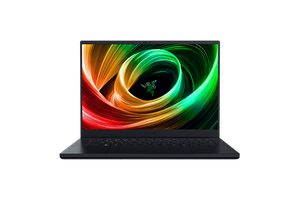
Modern PC gaming has entered a new era where visual realism is just as important as raw frame rates. Technologies like ray tracing and DLSS (Deep Learning Super Sampling) have transformed how games look and perform, delivering realistic lighting, reflections, shadows, and improved image quality without requiring desktop-sized hardware.
The Razer Blade 14 is built with powerful AMD Ryzen processors and NVIDIA GeForce RTX graphics, making it one of the few compact gaming laptops capable of taking full advantage of these technologies. But many buyers still wonder whether a 14-inch laptop can handle the demands of ray tracing while maintaining smooth gameplay.
The good news is that the Razer Blade 14 performs remarkably well. Thanks to modern RTX GPUs, advanced AI-powered rendering, and efficient hardware optimization, it delivers an excellent balance between visual quality and gaming performance across many of today’s most demanding titles.
This guide explains how the Blade 14 handles ray tracing, how DLSS improves gaming performance, and what you can realistically expect from modern games.
Understanding Ray Tracing
Ray tracing is a rendering technology that simulates how light behaves in the real world.
Traditional graphics rely on various shortcuts to create shadows, reflections, and lighting effects. Ray tracing calculates these effects much more accurately, producing scenes that look dramatically more realistic.
Instead of simple reflections, windows mirror entire environments.
Water reflects surrounding landscapes naturally.
Shadows become softer and more dynamic.
Lighting reacts realistically as players move through different environments.
The result is a much more immersive gaming experience.
However, these improvements require significant graphics processing power.
What Is DLSS?
DLSS is NVIDIA’s AI-powered rendering technology designed to improve gaming performance without noticeably reducing image quality.
Rather than rendering every frame at the monitor’s native resolution, DLSS renders at a lower internal resolution before using artificial intelligence to reconstruct a sharper final image.
This process dramatically reduces GPU workload while maintaining impressive visual quality.
For gamers, the benefits are obvious.
Higher frame rates.
Smoother gameplay.
Better performance with ray tracing enabled.
Improved efficiency in demanding games.
Modern versions of DLSS have become so effective that many players struggle to distinguish the AI-generated image from native rendering.
Why the Razer Blade 14 Is Well Suited for These Technologies
The Blade 14 combines several important components that work together effectively.
AMD Ryzen processors handle game logic, AI, physics, and background processing.
NVIDIA GeForce RTX graphics include dedicated RT Cores for ray tracing calculations.
Tensor Cores accelerate DLSS processing using artificial intelligence.
Fast NVMe SSD storage reduces loading times.
High-speed memory supports smooth multitasking.
Together, these components allow the Blade 14 to deliver impressive gaming performance even when advanced graphical features are enabled.
Gaming With Ray Tracing Enabled
Many modern games now include ray tracing options.
When enabled on the Blade 14, players immediately notice more realistic lighting throughout game environments.
Cities feel more alive thanks to accurate reflections on glass buildings.
Wet roads reflect surrounding lights naturally.
Indoor environments feature convincing shadows.
Sunlight passing through windows creates more believable illumination.
These visual improvements significantly increase immersion, especially in cinematic single-player games.
Although ray tracing increases GPU workload, the Blade 14’s RTX graphics are specifically designed to handle these calculations efficiently.
How DLSS Changes the Experience
DLSS becomes particularly valuable when ray tracing is enabled.
Without DLSS, enabling maximum ray tracing settings can reduce frame rates in demanding games.
Once DLSS is activated, performance improves considerably.
Players often experience:
Higher average FPS
More stable frame rates
Reduced stuttering
Smoother gameplay during demanding scenes
Improved responsiveness
The visual quality remains excellent while performance becomes far more comfortable for extended gaming sessions.
This combination allows players to enjoy both beautiful graphics and smooth gameplay simultaneously.
Performance Across Popular Games
The Blade 14 performs particularly well in many of today’s biggest RTX-supported games.
Cyberpunk 2077
Cyberpunk 2077 remains one of the most demanding games available.
Ray tracing dramatically transforms the appearance of Night City, adding realistic reflections, global illumination, and improved shadows.
DLSS helps recover much of the performance lost when these features are enabled, allowing the game to remain highly playable.
Alan Wake 2
Known for its advanced graphics technology, Alan Wake 2 heavily benefits from RTX hardware.
The Blade 14 produces impressive visuals while DLSS helps maintain smoother gameplay throughout complex lighting scenes.
Hogwarts Legacy
Magical lighting effects, reflections, and environmental detail become noticeably richer with ray tracing enabled.
DLSS allows players to experience these visual improvements without sacrificing too much performance.
Control
Control remains one of the best showcases for RTX technology.
Ray-traced reflections and lighting dramatically enhance the game’s unique environments.
The Blade 14 handles these effects confidently, especially when paired with DLSS.
Minecraft RTX
Minecraft RTX completely transforms the game’s appearance through realistic global illumination and reflections.
Although ray tracing significantly increases hardware demands, DLSS helps restore excellent playability while preserving impressive image quality.
Does Ray Tracing Affect Battery Life?
Like any demanding graphics feature, ray tracing increases power consumption.
Gaming with RTX enabled naturally drains the battery faster than standard gaming.
For the best experience, it’s recommended to play while connected to AC power.
Running on battery not only reduces gaming time but may also limit maximum system performance to conserve energy.
For serious gaming sessions, plugging in the laptop remains the ideal choice.
Cooling Performance During RTX Gaming
Ray tracing pushes the graphics hardware harder than traditional rendering.
As expected, temperatures rise during extended gaming sessions.
The Blade 14’s cooling system responds by increasing fan speeds to maintain stable operating temperatures.
Although fan noise becomes more noticeable, the cooling system generally succeeds in keeping performance consistent without severe thermal throttling.
This is particularly impressive considering the laptop’s compact 14-inch chassis.
Image Quality Improvements
The combination of RTX and DLSS creates a noticeable improvement in visual quality.
Players can expect:
More realistic lighting
Improved reflections
Natural-looking shadows
Enhanced environmental detail
Smoother anti-aliasing
Cleaner image reconstruction
Reduced shimmering in motion
The overall presentation feels more cinematic without dramatically sacrificing performance.
Should You Always Enable Ray Tracing?
That depends on the type of game you play.
Single-player adventure games often benefit greatly from ray tracing because visual immersion becomes part of the experience.
Competitive esports games, however, usually prioritize maximum frame rates over graphical realism.
Many competitive players disable ray tracing entirely to achieve the highest FPS possible.
The Blade 14 gives users the flexibility to choose whichever experience best matches their gaming style.
Future-Proof Gaming
One advantage of buying an RTX-equipped gaming laptop is long-term compatibility.
More developers continue adding ray tracing and DLSS support every year.
Future games are expected to rely even more heavily on AI-assisted rendering technologies.
Owning a laptop capable of supporting these features helps extend its useful lifespan, allowing users to enjoy upcoming releases with modern graphical enhancements.
The Blade 14 is well positioned for this future.
Is the Compact Size a Limitation?
Some buyers worry that a smaller laptop cannot effectively handle advanced graphics technologies.
In reality, the Blade 14 demonstrates that compact design doesn’t necessarily mean compromised gaming performance.
Although larger gaming laptops may sustain slightly higher performance due to more aggressive cooling, the Blade 14 delivers an outstanding balance between portability, premium design, and RTX gaming capability.
For users who travel frequently, this balance becomes one of its strongest advantages.
Final Verdict
The Razer Blade 14 handles ray tracing and DLSS-enabled games exceptionally well for a compact 14-inch gaming laptop. Its combination of AMD Ryzen processors and NVIDIA GeForce RTX graphics allows players to enjoy advanced lighting, reflections, shadows, and other modern graphical effects without sacrificing the smooth gameplay expected from a premium gaming system. DLSS plays a crucial role by boosting frame rates while maintaining impressive image quality, making demanding titles far more enjoyable with ray tracing enabled.
While the most graphically intensive games may still require small adjustments depending on the chosen resolution and RTX settings, the Blade 14 consistently delivers an outstanding balance of visual fidelity and performance. If you’re looking for a portable gaming laptop that can fully embrace modern graphics technologies while remaining practical for work, travel, and everyday use, the Razer Blade 14 remains one of the strongest premium RTX gaming laptops available today.
