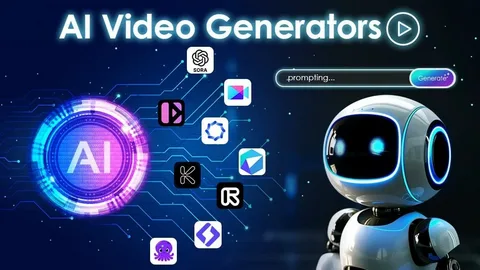
A single photograph can capture a special moment, showcase a product, or tell a story. But what if you could transform that still image into a short video with realistic movement? AI-powered image-to-video tools make this possible by adding motion effects, camera movements, and subtle environmental changes to static pictures.
You no longer need professional video editing skills or expensive equipment to experiment with this technology. Tools such as Seedance free allow users to explore AI video creation and turn their visual ideas into animated clips. By choosing the right generator and using clear instructions, you can create engaging videos for personal projects, marketing campaigns, and social media.
This guide explains the essential features to consider, creative ways to use image-to-video technology, and practical techniques for improving your results.
Why AI Image-to-Video Technology Is Becoming Popular
Video content has become an important part of digital communication. Businesses use it to present products, creators rely on it to attract audiences, and individuals use it to preserve memories in creative ways.
AI-powered animation makes video production more accessible by reducing the amount of manual work involved. Instead of recording a new scene, users can begin with an existing photograph and let an AI model generate movement.
Several factors contribute to the growing interest in this technology:
- More engaging content: Animated visuals can add variety to social media posts and digital marketing materials.
- Simplified production: Users can generate short clips without learning complex editing techniques.
- Creative flexibility: A single photograph can inspire multiple video variations with different movements or visual effects.
- Lower entry barriers: Some platforms offer free access or introductory credits, allowing users to test their features before purchasing a subscription.
Although AI-generated motion can produce impressive results, the quality depends on the original image, the instructions provided, and the capabilities of the selected tool.
What to Look for in a Free Image-to-Video AI Generator
Choosing a suitable platform requires more than checking whether it offers a free option. Video quality, ease of use, available controls, and usage restrictions can all affect your experience.
1. Realistic and Consistent Movement
Natural motion is one of the most important characteristics of a good image-to-video generator. The subject should remain recognizable while the surrounding elements move in a believable way.
For example, an outdoor portrait might benefit from gently moving hair, while a landscape could look more dynamic with drifting clouds. Poorly generated movement can distort facial features, change object shapes, or cause the background to appear unstable.
Reviewing sample videos can help you understand how well a platform handles different types of images.
2. Clear Output and Visual Quality
A useful generator should produce footage that is suitable for your intended purpose. Pay attention to sharpness, visual consistency, and unwanted distortions.
If you plan to publish videos on social media or use them in promotional materials, check the available resolution and export options. Some free plans may impose restrictions on resolution, duration, or downloadable output.
3. A Beginner-Friendly Interface
The video creation process should be straightforward. Ideally, you should be able to upload a photograph, describe the desired movement, select the available settings, and generate a clip without navigating complicated menus.
A simple interface makes experimentation easier, particularly for people who are new to AI-assisted content creation.
4. Transparent Free-Plan Restrictions
Free access does not necessarily mean unlimited generations. Different platforms may offer trial credits, daily limits, shorter clips, or restricted export options.
Before starting a project, review the current pricing and usage conditions. Also check whether generated videos include watermarks and whether commercial use is permitted under the platform’s terms.
Free-plan features can change, so verify the latest information directly on the provider’s website.
5. Useful Motion and Camera Controls
Some generators allow users to describe camera movements, environmental effects, or subject animation through text prompts. Depending on the platform, you may also find controls for duration, aspect ratio, or motion intensity.
These options can help you create a clip that matches your original idea more closely. However, available controls differ between tools, and not every generator provides the same level of customization.
How Does AI Image-to-Video Generation Work?
Image-to-video generation uses AI models to interpret a still image and produce a sequence of frames that represent movement over time.
The model analyzes visual information, including the main subject, background, lighting, and relationships between objects. It then generates additional frames intended to create a coherent video sequence.
For instance, a photograph of a coastal landscape could become a short clip featuring moving waves, drifting clouds, or a gradual camera movement. A product photograph might be animated with a gentle camera push-in or subtle changes in lighting.
If you want to experiment with this process, try an image to video generator using a clear photograph. Start with one simple movement and evaluate the result before adding more complicated effects.
A well-composed image with a clearly defined subject is often a practical starting point, although results can vary depending on the model and prompt.
7 Creative Ways to Use AI Image-to-Video Generators
Image animation can support a wide range of personal and professional projects. The best approach is to select a use case first and then choose movements that complement the original photograph.
1. Create Short Social Media Videos
Static images can be transformed into short clips for platforms such as Instagram, TikTok, and YouTube Shorts.
For example, a travel photograph could feature gently moving clouds, while a fashion image might use subtle fabric movement. These effects add visual variety without requiring an entirely new video shoot.
Before publishing, check the platform’s recommended dimensions and video specifications.
2. Develop Product Promotional Clips
Businesses can use image animation to create additional visual assets from existing product photography.
A photograph of a perfume bottle, watch, smartphone, or pair of shoes could be enhanced with a slow camera movement or a carefully controlled lighting effect.
These clips may be useful for advertisements, landing pages, and product presentations. For commercial projects, review the AI platform’s licensing terms and make sure the generated result accurately represents the product.
3. Animate Personal and Family Photographs
AI-generated motion can give old photographs a different way of being experienced. A portrait might include a gentle head movement, a natural blink, or subtle changes in expression.
For family photographs, restrained animation often preserves the original character of the image better than dramatic movement.
Consider privacy and obtain appropriate permission before uploading photographs of other people, particularly children or individuals who have not agreed to AI processing.
4. Bring Travel Memories to Life
Travel photographs often contain elements that work well with animation. Beaches, mountains, lakes, forests, and city skylines can be enhanced with movements that suit the setting.
For a beach photograph, you might request gently rolling waves and drifting clouds. A mountain scene could use slow cloud movement and a gradual camera zoom.
These effects can help transform a collection of travel photographs into a short visual story.
5. Animate Digital Illustrations and Artwork
Artists and designers can use image-to-video tools to experiment with movement in their illustrations.
A drawing might feature flowing clothing, moving leaves, blinking eyes, or a shifting background. These animations can be used for concept previews, creative portfolios, and selected social media posts.
For illustrations containing detailed characters or intricate designs, begin with subtle motion to reduce unwanted changes to the original artwork.
6. Add Motion to Blog Posts and Presentations
Animated visuals can support educational content, business presentations, and online articles when they serve a clear purpose.
For example, a technology article could include a short animated illustration, while a presentation about tourism might feature a moving landscape.
Keep the clip relevant to the surrounding information. Also consider loading speed, accessibility, and mobile performance before adding video to a website.
7. Test Creative Concepts Before Production
Writers, marketers, designers, and filmmakers can use AI-generated clips to explore visual ideas before committing to a larger project.
A single image can be tested with several camera angles, movement styles, or atmospheric effects. These experiments can help communicate a concept to a client or team.
However, AI-generated previews should not be treated as guaranteed representations of the final production. Complex movements, exact physical interactions, and consistent character details may require additional work.
Practical Tips for Producing Better AI Videos
The quality of an animated clip depends on both the source image and the instructions you provide. The following techniques can help you improve your results.
Choose a Suitable Starting Image
Use a photograph with adequate lighting, clear details, and a subject that is easy to identify. Images with excessive blur, heavy compression, or overlapping subjects may be more difficult to animate consistently.
Think about the movement you want before selecting the photograph. A landscape with visible water is suitable for testing wave motion, while a portrait may work better for subtle facial or environmental animation.
Write Specific, Focused Prompts
Describe the main movement instead of including too many unrelated instructions.
For example:
- “Slow camera push-in with gentle wind moving the subject’s hair.”
- “Soft waves rolling toward the shore under drifting clouds.”
- “A smooth camera orbit around the product with subtle lighting changes.”
These prompts communicate a clear visual direction. The actual output will still depend on the generator’s capabilities.
Begin With Subtle Effects
Large movements can introduce distortions, especially when the original photograph does not show enough information about the subject’s hidden features.
Start with a small camera movement or one environmental effect. If the output looks consistent, experiment with more complex animation.
Generate Multiple Versions
A prompt does not always produce the same result on every attempt. When credits allow, generate several versions and compare the motion, image consistency, and overall appearance.
You can then adjust the wording or simplify the requested movement to address problems in the output.
Match the Animation to the Photograph
Choose motion that fits the subject and environment. Water can ripple, trees can sway, clouds can drift, and a camera can move slowly toward a stationary object.
Unrelated or excessive movement can make a clip look artificial. Keeping the animation consistent with the scene usually provides a clearer creative direction.
Review the Final Clip Before Publishing
Watch the complete video rather than judging it from the first few seconds. Look for distorted objects, sudden changes in appearance, inconsistent backgrounds, and unnatural transitions.
For business or advertising content, also verify that the product details, branding, and any visible text remain accurate.
Common Mistakes to Avoid
Beginners can improve their results by avoiding a few frequent problems.
- Using overly complicated images: Crowded photographs with many overlapping subjects can make motion generation more challenging.
- Requesting impossible movements: A close-up portrait may not contain enough visual information to generate a convincing full-body action.
- Adding too many instructions: Multiple conflicting movements can make the result less predictable.
- Expecting identical results every time: AI-generated clips can vary even when you use the same photograph and prompt.
- Ignoring usage limits: Running out of free credits can interrupt a project, so check the available allowance beforehand.
- Overlooking privacy and licensing: Review the platform’s terms before uploading sensitive photographs or using generated videos for commercial purposes.
- Skipping quality checks: Inspect the entire clip for visual artifacts before sharing or publishing it.
Final Thoughts
AI image-to-video technology offers a practical way to experiment with animation without building an entire video from scratch. It can support social media content, product promotions, travel memories, digital artwork, and creative presentations.
The key is to choose a suitable image, select a generator that meets your requirements, and describe the desired movement clearly. Starting with simple effects and reviewing multiple outputs can help you identify what works best for your project.
Before choosing a free tool, compare its video quality, generation limits, export options, and usage terms. With realistic expectations and a little experimentation, you can turn ordinary photographs into engaging short clips while keeping the production process manageable.
